Vishal Patel
 Claude AI is an advanced AI assistant developed by Anthropic that delivers accurate, safe, and context-aware responses. In 2026, it stands out for its massive context window, strong reasoning, and reliability, making it a powerful alternative to ChatGPT.
In this blog, you will learn everything about Claude AI, including its features, pricing, real-world use cases, limitations, and how it compares to competitors. Whether you are a student, developer, business professional, or content creator, this guide will help you decide if Claude fits your workflow.
What is Claude AI?
Claude AI is an artificial intelligence assistant developed by Anthropic, a San Francisco-based AI safety company. At its core, Claude is a large language model (LLM) – a type of AI trained on massive amounts of text data to understand, generate, and reason through natural language.
What separates Claude from most other AI assistants is not just what it can do, but how it was built. Anthropic designed Claude with a safety-first philosophy baked into its architecture, not bolted on as an afterthought. The result is an AI that aims to be genuinely helpful while being honest about its limitations and careful about potential harms.
Claude can handle an impressive range of tasks: writing and editing, research and summarization, coding, data analysis, brainstorming, answering complex questions, and much more. If you work with information for a living, Claude was designed with you in mind.
Who Built Claude AI?
To truly understand Claude, you need to understand the company behind it.
Anthropic was founded in 2021 by Dario Amodei, Daniela Amodei, and several colleagues, many of whom previously worked at OpenAI. The founding team left to pursue a different vision, one where AI safety research was not a secondary priority but the central mission of the entire organization.
Anthropic operates as an AI safety company first and a product company second. Their research focus areas include:
- Interpretability — understanding why an AI model produces a given output
- Alignment — ensuring AI systems pursue goals that are genuinely good for humans
- Scalable oversight — figuring out how humans can remain in control as AI systems grow more capable
This research DNA is embedded in Claude. When you interact with Claude and notice it declines a request, adds a caveat, or acknowledges uncertainty rather than making something up, that is Anthropic’s philosophy playing out in real time.
How Does Claude AI Work?
Claude runs on a transformer-based large language model architecture — the same foundational technology that powers ChatGPT, Gemini, and other leading AI systems. It was trained on a large corpus of text from the internet, books, and other sources, allowing it to develop a broad understanding of language, context, and reasoning.
But what truly distinguishes Claude’s training is a methodology called Constitutional AI (CAI).
Constitutional AI Explained
Most AI models are refined through a process called Reinforcement Learning from Human Feedback (RLHF), where human raters evaluate responses, and the model learns to produce outputs that get rated favorably. Claude uses RLHF, too, but goes a step further.
Constitutional AI means Claude was trained against a written set of principles, essentially a “constitution” that guides how it should behave. Some of these principles include:
- Choose responses that respect individual privacy, autonomy, and dignity
- Prefer answers that are honest and transparent over those that merely sound good
- Avoid content that could cause real-world harm, even if the user requests it
- Do not pretend to be human or misrepresent your nature as an AI
Because these principles are part of Claude’s training rather than just moderation filters applied afterward, Claude’s behavior tends to be more consistent and principled across a wide variety of situations. Anthropic has also made these constitutional principles publicly available, an unusual level of transparency in the AI industry.
Claude AI’s Standout Features
1. A 200,000-Token Context Window
One of Claude’s most practically significant advantages is its enormous context window. Claude can process up to 200,000 tokens at once, roughly equivalent to 350+ pages of text. To put that in perspective, many competing models cap out at 32,000 to 128,000 tokens.
What this means for you in practice:
- Upload an entire research paper or legal contract and ask specific questions about it
- Feed Claude a full codebase and ask it to find bugs or refactor specific functions
- Work on long-form writing projects without losing context from earlier sections
- Summarize entire book chapters or lengthy reports without chunking them manually
For professionals who regularly deal with dense, lengthy documents, this single feature alone makes Claude worth trying.
2. Honest Uncertainty and Reduced Hallucinations
One of the biggest frustrations with AI assistants is hallucination — when a model confidently states something that is simply false. Claude was specifically designed to minimize this behavior.
Rather than fabricating an answer when it is uncertain, Claude will acknowledge the gap in its knowledge, flag that it might be wrong, or suggest that you verify the information elsewhere. This makes Claude significantly more trustworthy for research, professional writing, and any task where factual accuracy matters.
3. Strong Long-Form Writing Quality
Claude consistently ranks among the best AI models for producing natural, nuanced, long-form writing. It understands tone, voice, and structure in a way that makes its output feel less robotic and more considered. This matters for content creators, marketers, writers, and anyone who needs polished written output rather than just functional text.
4. Capable Code Generation and Review
Claude handles programming tasks with impressive accuracy. It can write functional code in Python, JavaScript, TypeScript, SQL, Java, Rust, and more. Beyond generation, it excels at explaining code logic, spotting bugs, suggesting performance improvements, and helping developers understand unfamiliar codebases.
5. Nuanced Reasoning
Claude was designed to think through multi-step problems rather than jump to the first available answer. For tasks involving analysis, comparison, ethical reasoning, or complex decision-making, this deliberate approach tends to produce more reliable and thoughtful responses than models optimized primarily for speed.
Claude AI Pricing (2026)
Claude is not a one-size-fits-all assistant. Anthropic has built several layers of customization that let you shape how Claude interacts with you.
User Preferences (Profile Settings)
In your account settings, you can describe your background, your preferences, and your typical use cases. Claude factors these in when generating responses, so if you tell it you are a software engineer who prefers technical explanations without hand-holding, it will adjust accordingly across all your conversations.
Style Selector
Claude offers distinct communication styles that you can switch between depending on the task:
- Concise — short, direct answers for quick lookups
- Explanatory — detailed breakdowns for learning and understanding
- Formal — professional tone for business documents
- Custom — styles built from your own writing samples
Projects (Pro and Team Plans)
Projects are one of Claude’s most underrated features for professionals. A Project is essentially a persistent workspace where you can:
- Store context that Claude remembers across every conversation in that project
- Set specific instructions, constraints, and personas for Claude to maintain
- Organize different workflows or clients into separate, isolated environments
For example, you could have one Project set up for a specific client where Claude knows the client’s brand voice, their industry, and the specific deliverables you are working on, and another Project for internal documentation where different rules apply.
Real-World Use Cases Across Industries
Claude is not just for tech enthusiasts. Here is how professionals across different fields are putting it to work:
| Industry | Practical Application |
| Legal | Contract review, clause summarization, legal research |
| Healthcare | Medical literature synthesis, patient communication drafts |
| Education | Curriculum design, student feedback, concept explanation |
| Software Development | Code generation, debugging, and documentation writing |
| Marketing | Campaign copy, SEO content, brand messaging |
| Finance | Report summarization, data interpretation, investor memos |
| Journalism | Research assistance, interview prep, and article structuring |
| Human Resources | Job descriptions, policy documentation, onboarding materials |
Claude AI vs ChatGPT: Which is Better in 2026?
| Feature | Claude AI | ChatGPT |
| Context Window | 200,000 tokens | 128,000 tokens |
| Safety Approach | Constitutional AI | RLHF-based moderation |
| Data Privacy | Not used for training by default; 90-day retention | Can be used for training unless opted out |
| Image Generation | Not available | Available via DALL-E integration |
| Custom Models / Fine-Tuning | Not available | Available (custom GPTs) |
| Plugin Ecosystem | Limited | Extensive |
| Long Document Handling | Excellent | Good |
| Hallucination Tendency | Lower | Moderate |
| Creative Writing Quality | Very strong | Strong |
| Free Tier | Yes | Yes |
The bottom line: Claude tends to outperform ChatGPT on long document tasks, factual reliability, and safety-conscious outputs. ChatGPT has the edge on image generation, plugin integrations, and the breadth of its third-party ecosystem. Your ideal choice depends on what you actually need to accomplish day-to-day.
Read More About: Indian Startups That Failed: What Went Wrong
Where Claude AI Genuinely Excels
Handling lengthy, complex documents — The 200K context window is not just a spec sheet boast. It translates into real productivity gains when you are working with documents too long for other tools to handle in one pass.
Tasks where accuracy matters — Claude’s tendency to flag uncertainty rather than hallucinate confidently makes it a better choice for research, legal review, or any professional context where a false answer has real consequences.
Long-form writing and editing — Claude produces output that reads naturally and maintains consistency over thousands of words, which is harder than it sounds for AI systems.
Nuanced conversations — Claude genuinely handles follow-up questions, context shifts, and multi-turn reasoning better than most competitors at the same price tier.
Where Claude AI Falls Short
No image generation — If creating or editing images is part of your workflow, Claude cannot help with that. You will need a separate tool.
Knowledge cutoff limitations — Claude’s training has a cutoff date. For real-time information, breaking news, or very recent developments, you will need to either provide the information yourself or use a tool with live web access.
Can feel overly cautious — The same safety principles that make Claude trustworthy can occasionally make it frustratingly conservative. It may decline requests or add heavy caveats in situations where a more relaxed response would have been perfectly fine.
No plugin ecosystem — Claude does not support third-party plugins the way ChatGPT does. If your workflow depends on specific integrations, this is a real limitation.
No fine-tuning for custom models — Businesses that want to train an AI on their proprietary data and deploy a customized version cannot do that with Claude through standard plans.
How to Start Using Claude AI
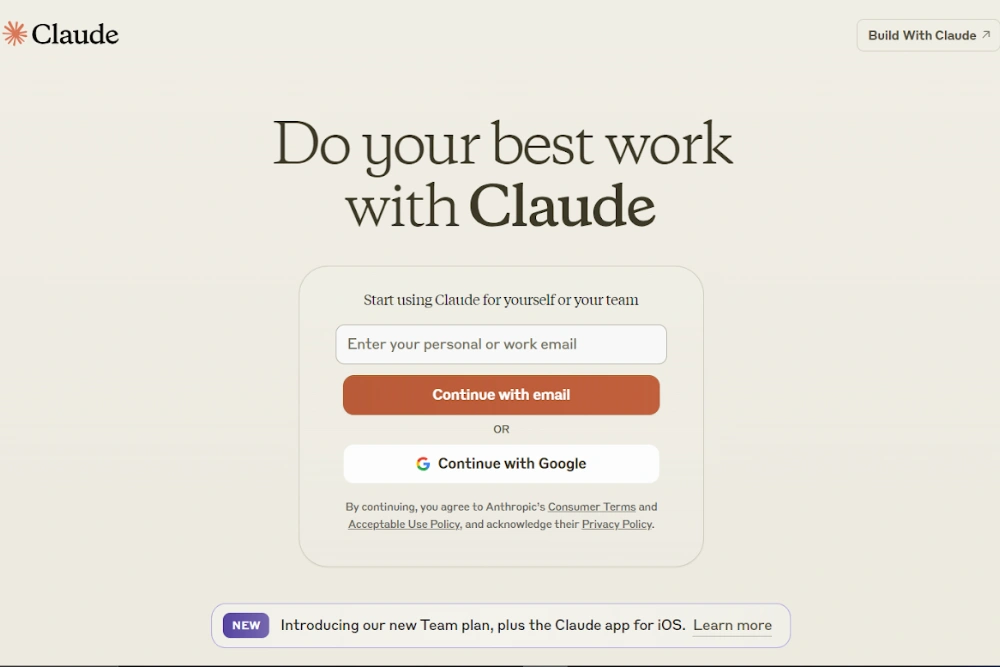
Getting started takes less than two minutes:
- Visit claude.ai and create a free account using your email address
- Once logged in, type your first message in the chat box — be as specific as possible about what you need
- Read Claude’s response; if it misses the mark, refine your prompt and try again
- Use the thumbs up/thumbs down buttons to provide feedback on responses
- Explore the Projects feature if you are on Pro; it dramatically improves Claude’s usefulness for ongoing work
Prompting tips that actually help:
- Give Claude context about who you are and what the output will be used for
- Specify the format you want (bullet points, paragraphs, table, etc.)
- If the first response is not quite right, tell Claude what to adjust rather than starting over
- For complex tasks, break the work into stages rather than asking for everything at once
Conclusion
Claude AI represents something genuinely different in the crowded AI assistant space. It is not trying to do everything; it is trying to do what it does well and responsibly. Anthropic’s commitment to safety research, transparent principles, and honest AI behavior has produced a tool that professionals can actually trust with serious work.
The context window, the quality of reasoning, the writing capability, and the principled approach to uncertainty all add up to an assistant that earns its place in a professional toolkit. Start with the free plan, spend a week working with it on real tasks, and see how it fits into the way you work.
Frequently Asked Questions
Q1. Is Claude AI free to use?
Yes. Claude offers a free plan that provides access to its latest models with daily usage limits. Paid plans starting at $20/month unlock significantly more usage and advanced features like Projects.
Q2. Does Claude AI work for coding?
Absolutely. Claude handles code generation, debugging, code review, and technical documentation across most major programming languages and performs particularly well on complex, multi-file problems.
Q3. How does Claude AI handle data privacy?
Anthropic’s default policy is that Claude does not use your conversations to train its models unless you explicitly opt in. Conversation data is retained for 90 days. Enterprise plans include additional data governance options.
Q4. Can Claude browse the internet?
Claude does not browse the internet by default. Its responses are based on its training data, which has a knowledge cutoff. Some deployment environments include web search capabilities, but this is not part of the standard product for most users.
Read more About: 10 AI SaaS Startup Ideas That Scale